Register the customer and aquarium
Select or create a customer, add their tank, volume and freshwater or marine profile, and keep testing attached to the right aquarium.
COMPLETE WATER TESTING ECOSYSTEM
Green Leaf Aquatics links your customer's aquarium and tank records, computerised or manual testing, clear results, approved product guidance, branded reports and jar usage tracking. Built for the aquarium shop—not just the customer's phone.
WHAT THE RETAILER GETS
There is more here than a testing machine or water calculator. Every stage uses the same store-linked customer and tank record.
Select or create a customer, add their tank, volume and freshwater or marine profile, and keep testing attached to the right aquarium.
Use the current Spin Touch FX connection where configured, or enter readings measured using traditional test kits. Both feed the Green Leaf diagnostics workflow.
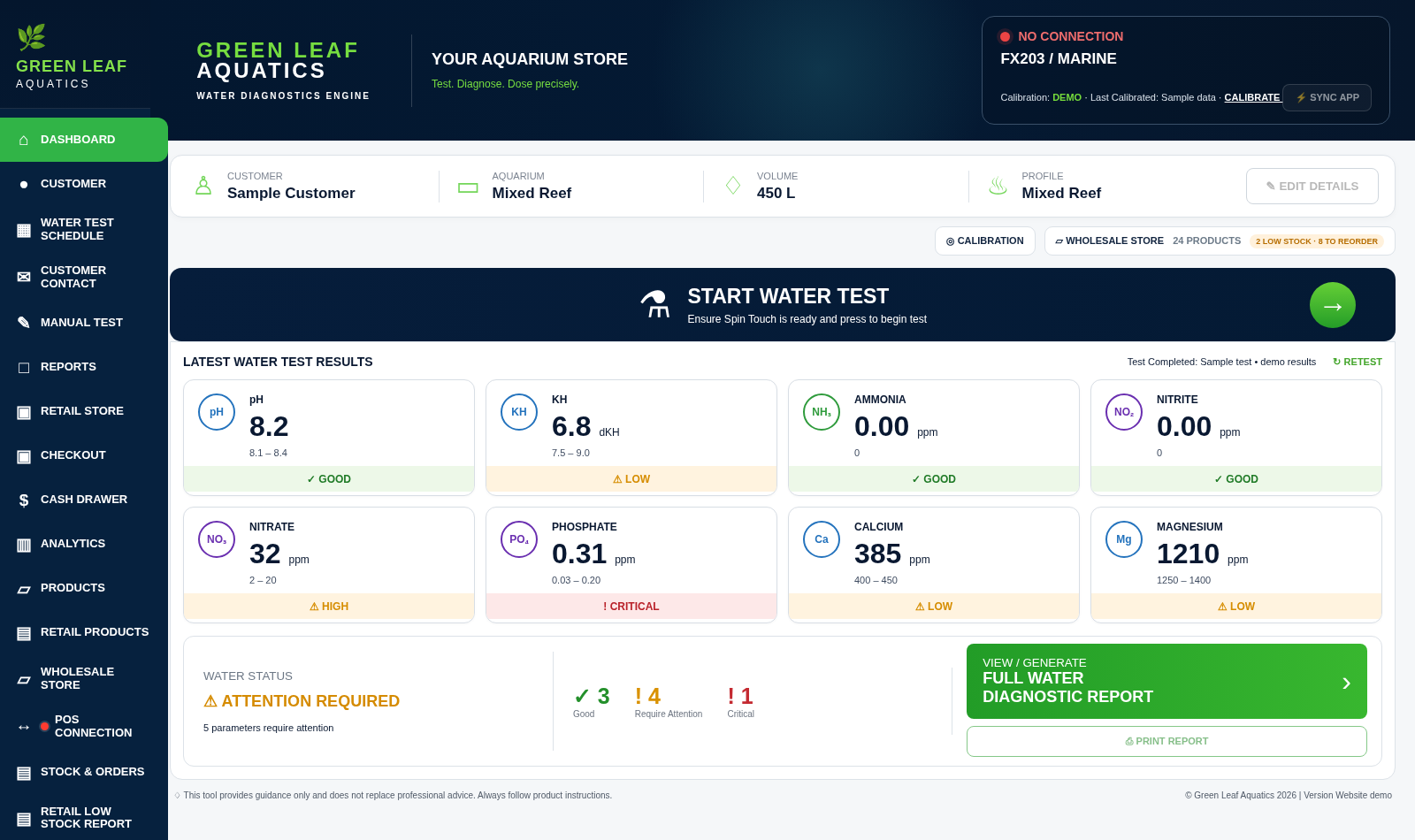
See status indicators and relevant issues on the staff dashboard, with a separate customer-facing results display when enabled.
The water diagnostics engine uses the tank profile and recorded readings to present alerts, approved product recommendations and safe staged care guidance where configured.
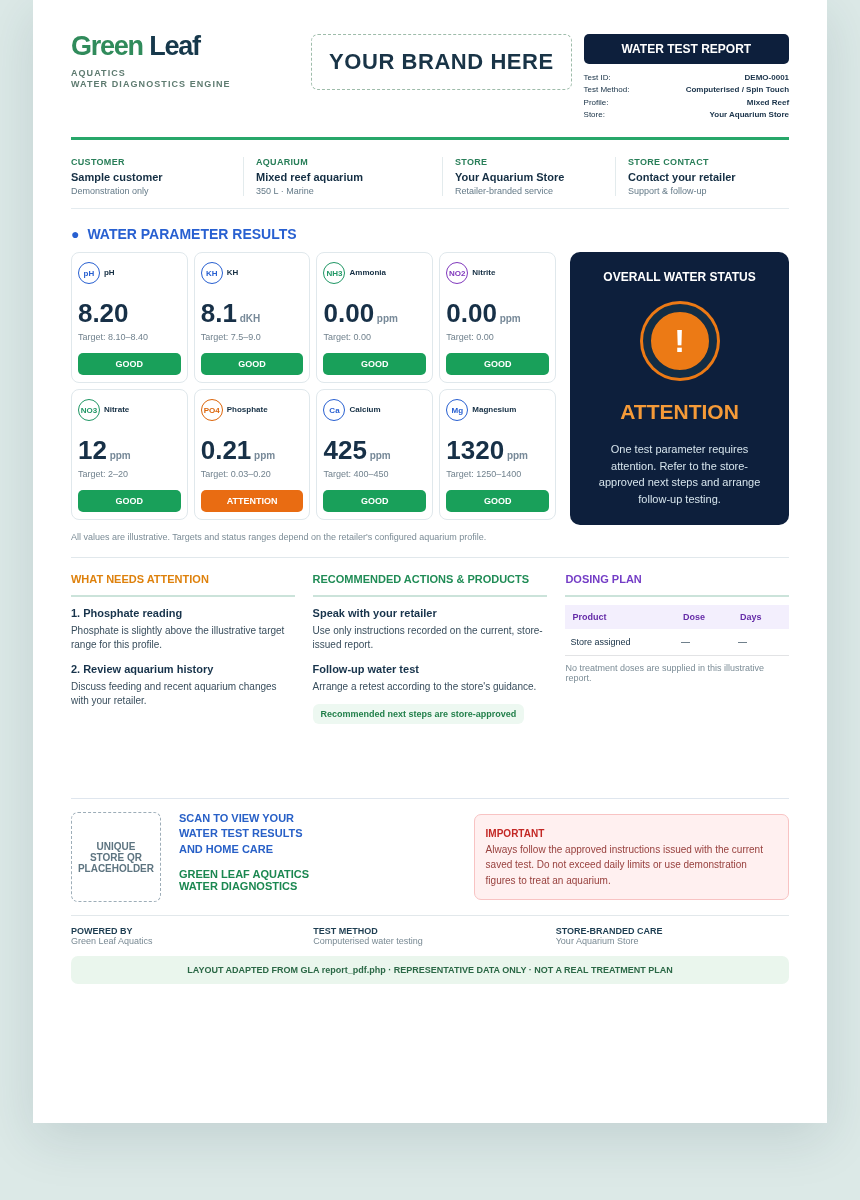
Print or email the store-branded water test report with results, treatment or maintenance steps, and a unique QR pathway linked to that retailer.
Link recommended doses to product-usage records, confirm doses used, follow the remaining jar balance and plan the next test.
COMPUTERISED WATER TESTING
Compatible computerised equipment supports freshwater and marine testing. Green Leaf Aquatics turns the results into easy-to-understand reports, tailored treatment plans and ongoing aquarium care for customers.
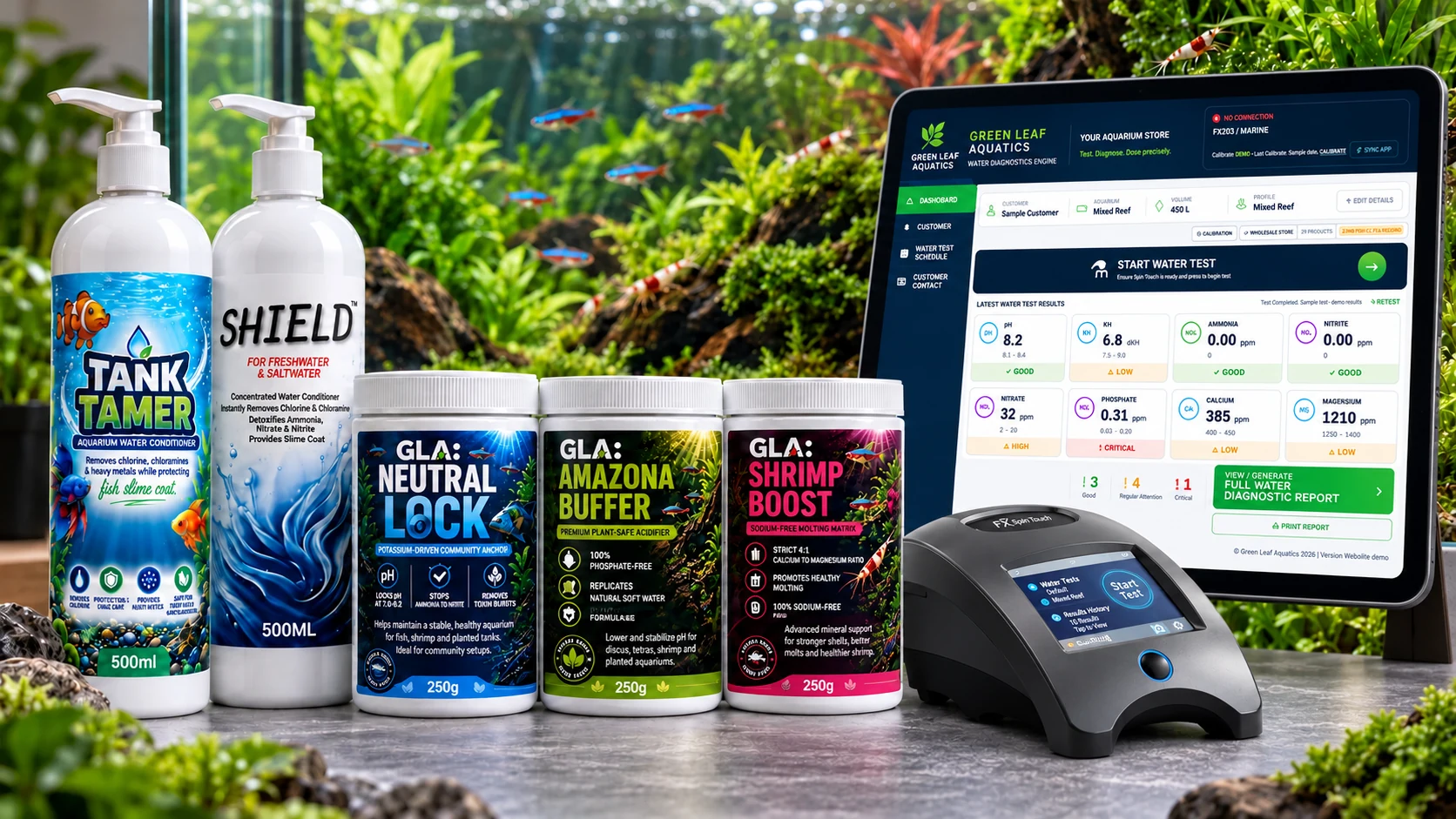
Independent integration. Green Leaf Aquatics is independently developed. Third-party testing equipment remains the product of its manufacturer. Other instrument integrations are being explored and should not be assumed available yet.
NO INSTRUMENT REQUIRED
A store doesn't need a Spin Touch machine to offer the Green Leaf testing system. Test with conventional kits, then type the actual results into the store's manual-test screen. The same customer, tank, alert and report pathway follows.
Select the customer and tank, choose the freshwater or marine profile, enter pH, KH, nitrate and other relevant measurements, then analyse the results.
Interactive demonstration with fictional readings. Select Analyse Results to open an example report in a new tab. No customer information is loaded, and no test is saved or submitted.
DUAL-SCREEN WATER TESTING
The checkout counter can use two screens: one for staff testing and treatment controls, the other for customers to follow their readings and status. Equipment and availability depend on the store's setup.
Mixed reef · example readings
REPORTS, RECOMMENDATIONS AND NEXT STEPS
Green Leaf Aquatics can prepare a store-branded diagnostic report showing measured water parameters, status, relevant husbandry guidance and approved product recommendations or staged treatment plans where configured.
JAR USAGE & STOCK AWARENESS
The testing workflow can carry product and dosing information into your jar tracker. This supports confirmation of use and clearer visibility of remaining product, alongside low-stock and retesting prompts where configured.
Recommendations are drawn from products assigned to the selected store and tank profile, where approved.
Confirm the actual dose used against the customer's tracked container instead of assuming every planned dose was given.
See the remaining tracked quantity and appropriate low-stock or repeat-test information where enabled.
AFTER THE WATER TEST · CUSTOMER VIEW
Customers can revisit their saved water test, see the tank and species/profile used for assessment, follow the store-issued care plan and check how their readings change over time. This is the water-testing part of the experience; the full customer app is explained on its own page.
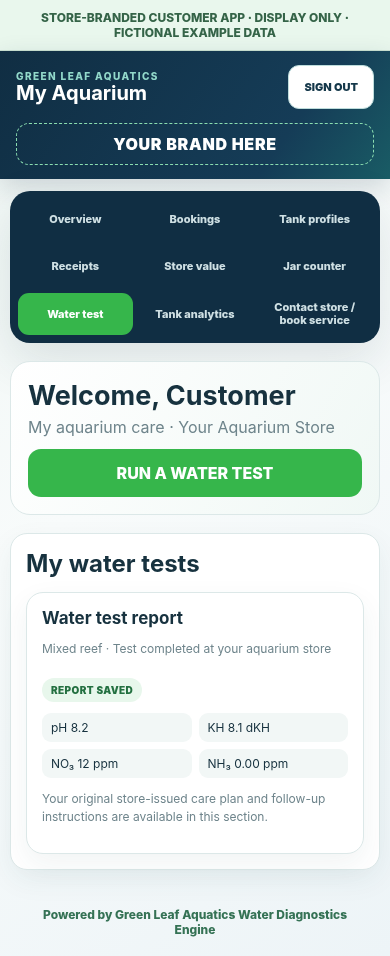
Review phosphate levels and follow the approved recommendations recorded in the store's PDF report. Any product and dose details come from the configured water-test result—not a generic treatment.
Tank analytics uses the customer's saved readings and species profile, showing dated parameter charts and testing history.
Explore the Customer Experience →
Illustrative customer data only. Actual treatment guidance, approved product selection, dosing limits and retest timings are determined by the store's validated configuration and saved results.
COMPLETE AQUARIUM SYSTEM